How to check novel chapter continuity in Pagekin
Before you revise a new chapter, compare its draft with a fact established in the previous one. This original Grayglass sample was tested in Pagekin 1.4.0 on Windows with the English interface.
Compare the key handoff across two chapters
Chapter 1 · finalized
“Mara put the key in her coat pocket and left the receipt on the counter.” Later she shows Ivo her empty hands.
Chapter 2 · draft before review
“Ivo handed her the brass key. He had kept it since the ferry ride.” No handoff in Chapter 1 supports this.
Chapter 2 · saved revision
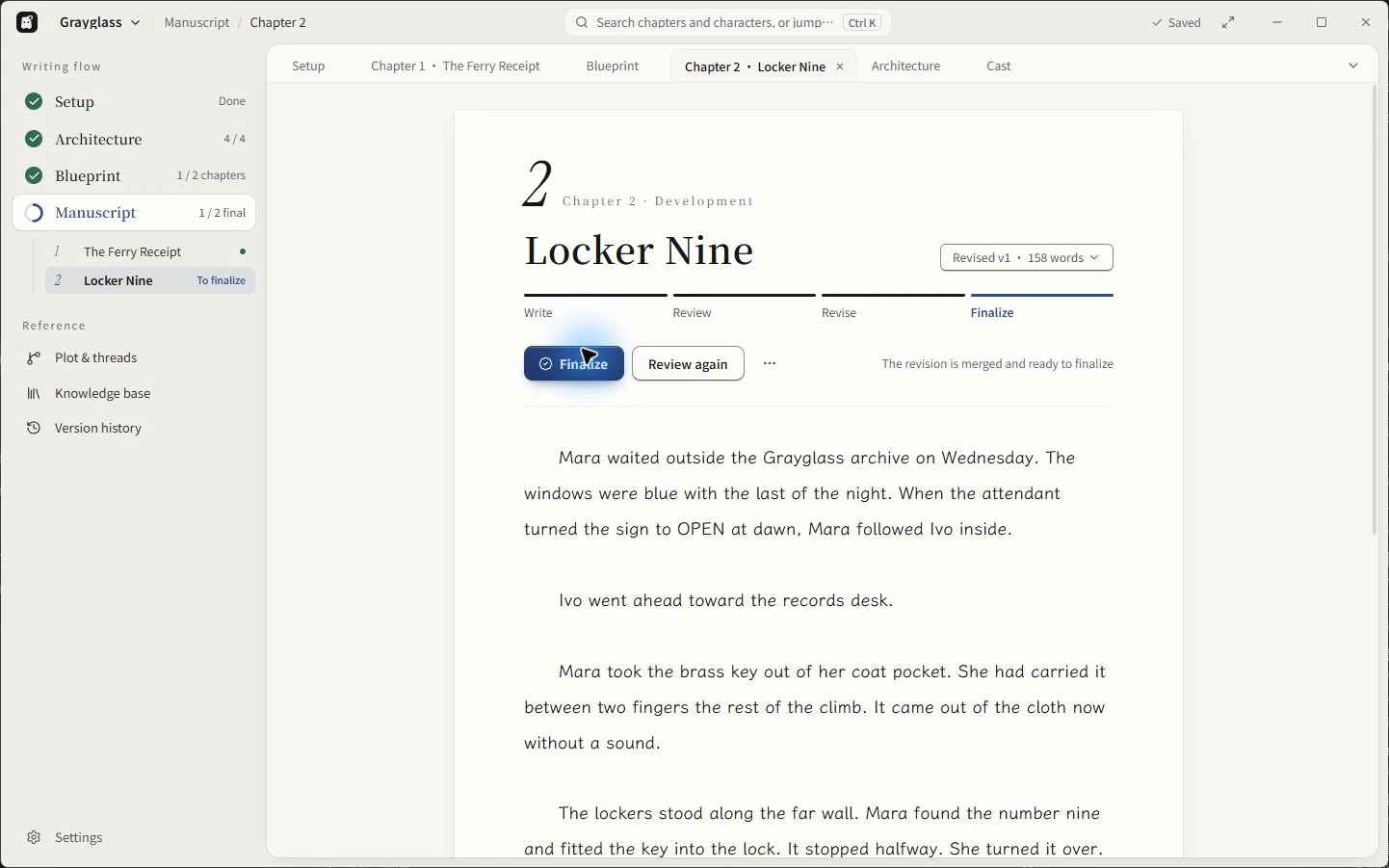
“Mara took the brass key out of her coat pocket.” Chapter 2 is still awaiting finalization.
Both versions of Chapter 2 open at the archive at dawn on Wednesday. The revision restores who has the key and keeps the opening intact.
Read the complete texts: Chapter 1, finalized · Chapter 2, before review · Chapter 2, after the merge.
Select the text below and copy it into your notes. Fill it in for each story fact that matters to the next scene.
Follow the Pagekin walkthrough
To follow along, install Pagekin and configure a model, then choose English in Settings → Appearance → Interface language. Model output can vary.
1. Confirm what happened in Chapter 1
In a fresh book with English set as the writing language, use the book menu’s Novel breakdown & imitation command. Choose My manuscript and Import into current project. Select Chapter 1: The Ferry Receipt. Turn on the option to infer settings, architecture, characters, and blueprints. Check that the preview shows Chapter 1 and the target is the finalized manuscript, then confirm the import.
Open the chapter under Manuscript. In this run it was Final and read-only, with all three items under After finalization marked done: knowledge base import, chapter plot notes, and character state update.
The optional blueprint inference failed in this run, after the chapter and continuity updates were saved. We made the next blueprint by hand.
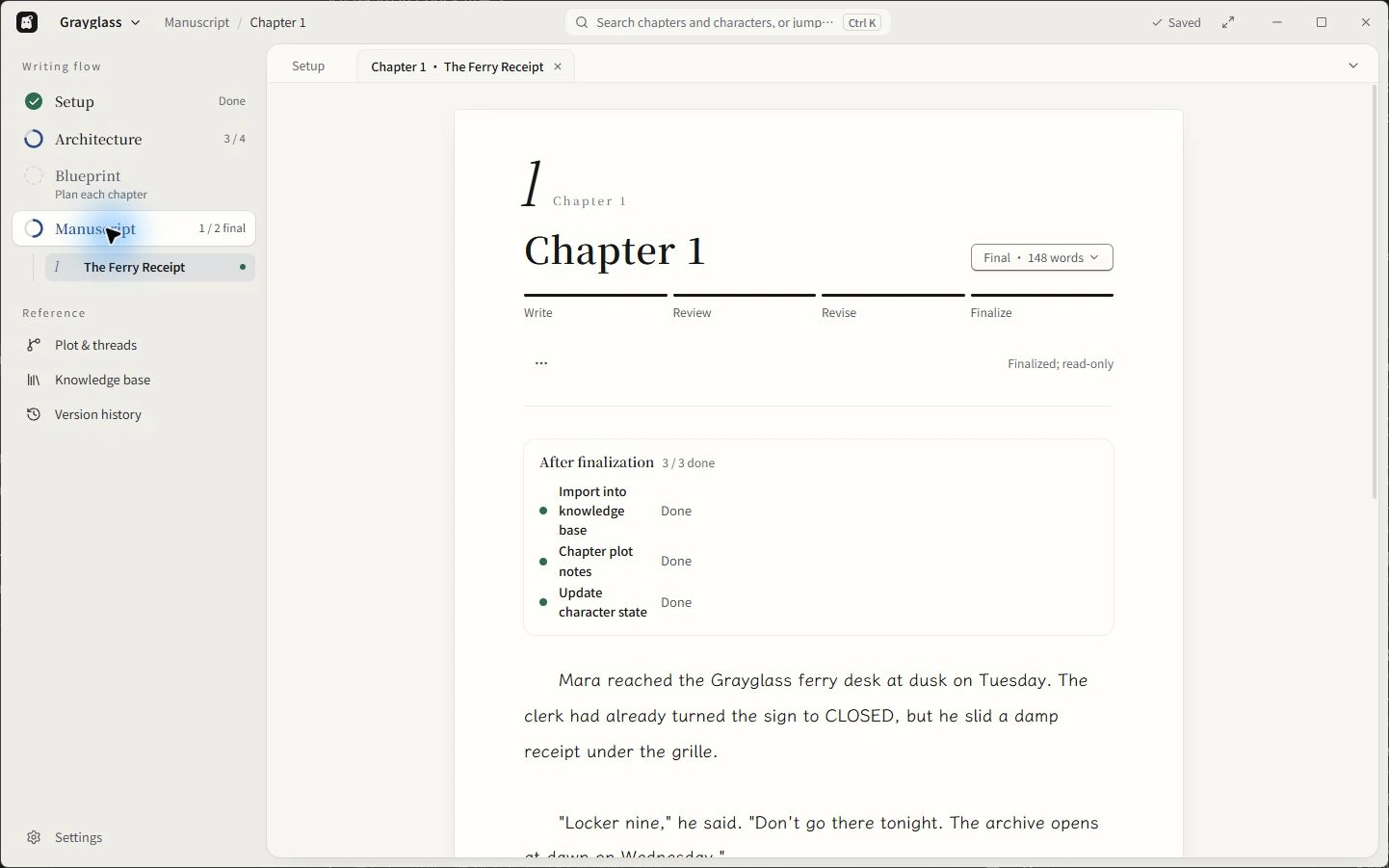
Before drafting the next scene, note what the first scene actually established:
- Who has the key? The clerk gave it to Mara. She carried it away in her coat.
- What does Ivo know? Mara showed him empty hands. No handoff occurred.
- When can they enter? The archive opens at dawn on Wednesday, after the Tuesday ferry scene.
2. Carry those facts into Chapter 2
In this import, with inference enabled, Pagekin offered cast suggestions under Architecture → Cast. Open Review, check the proposed relationships against the chapter, and use Accept decisions when they match. We selected the entries that record what Mara received, what she hid from Ivo, and when the archive opens.
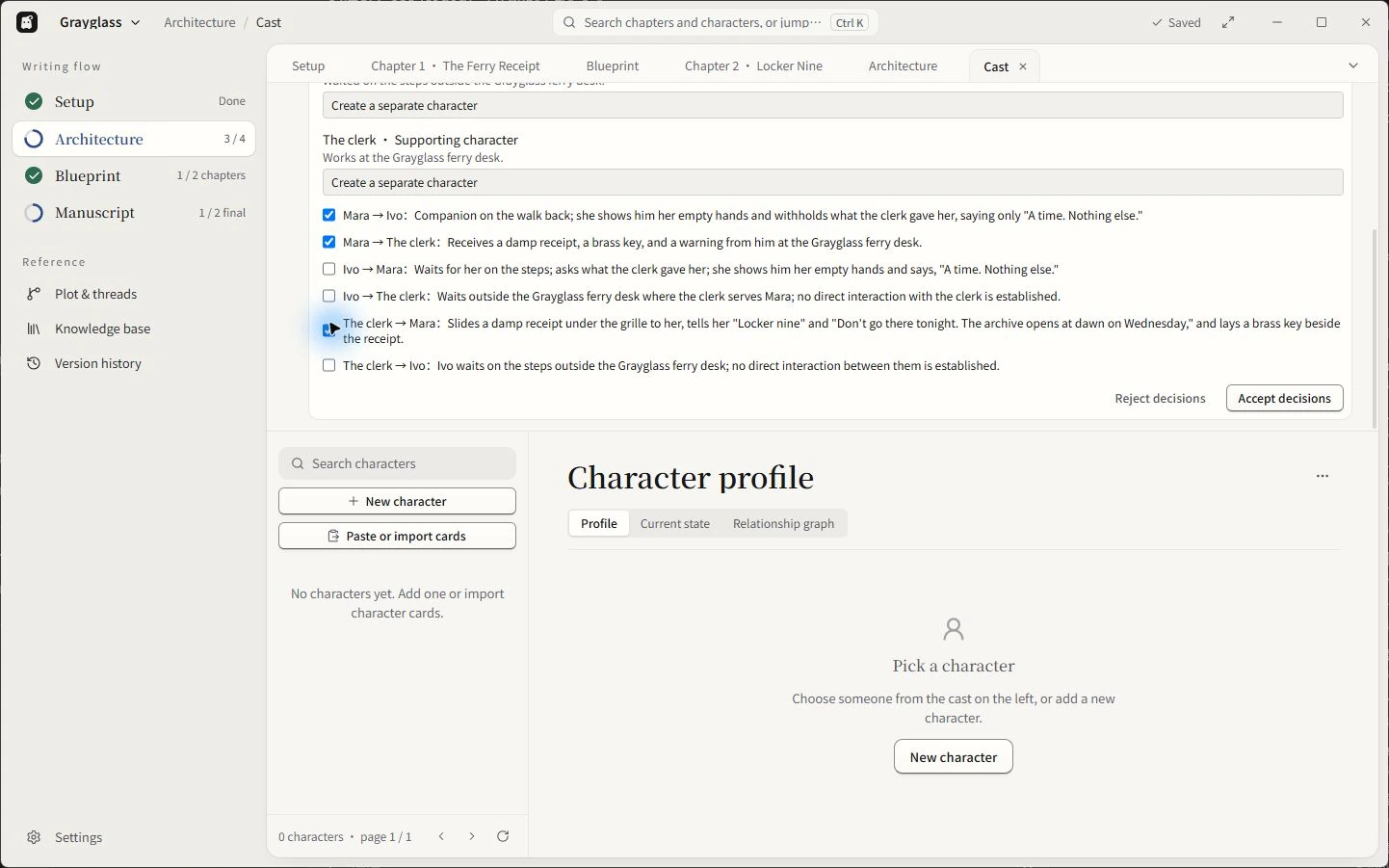
In Blueprint, open More blueprint actions → New chapter. Name Chapter 2 Locker Nine and set its goal to “Mara reaches the Grayglass archive and opens locker nine.” Save the chapter. The blueprint used in this test did not specify the key holder, its notch, or the opening time.
Open Chapter 2 under Manuscript and select Write this chapter. The model opened the scene at dawn on Wednesday and put the notched brass key in Mara’s hand. Compare that passage with the finalized Chapter 1. That is how you can tell which details carried over in this run.
3. Check the draft for contradictions
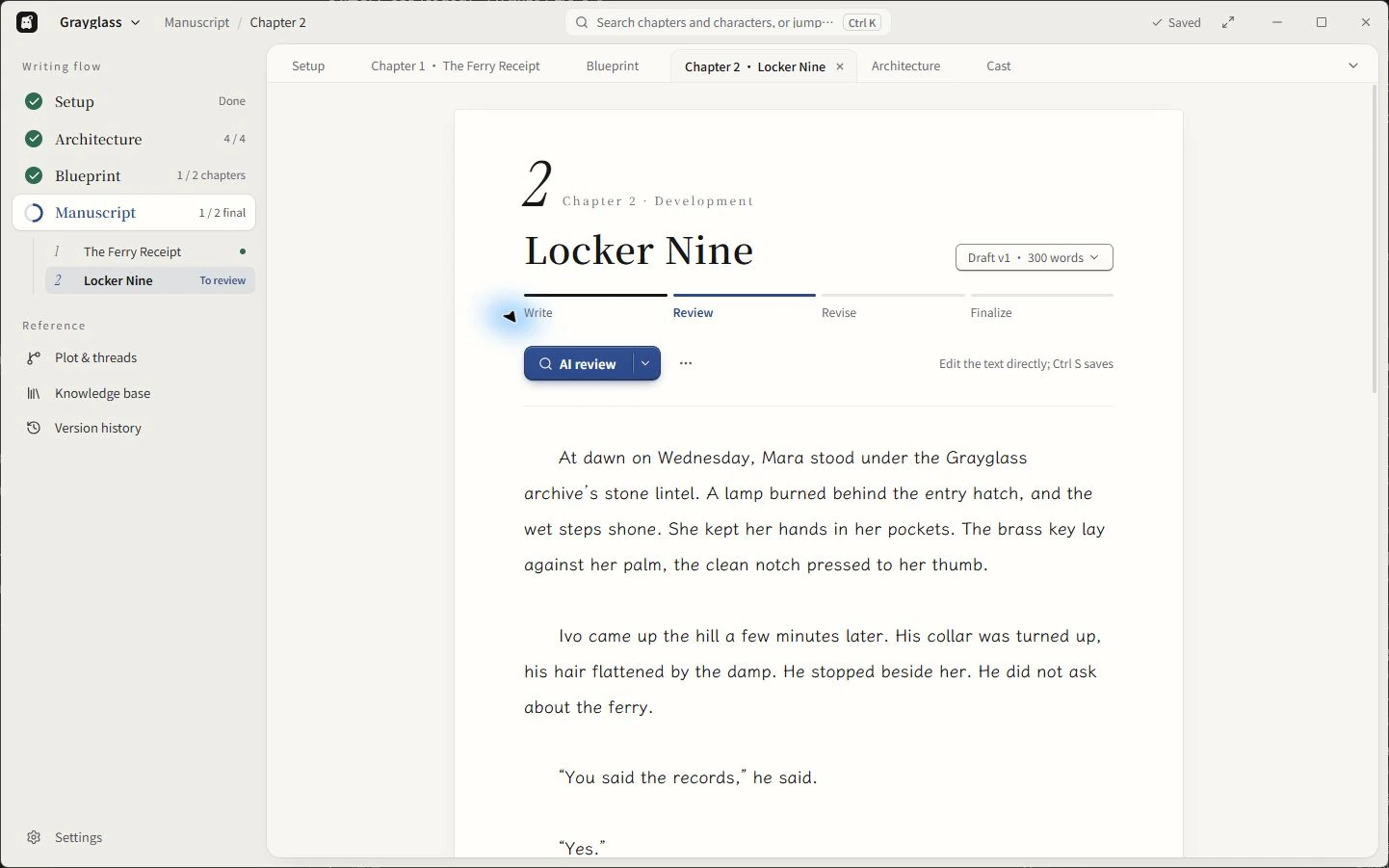
For the review test, replace the generated text with the original Chapter 2 draft. Paste the story text below the heading into the editor. Save with Ctrl+S on Windows, then select AI review.
The scene still opens at the right time. The contradiction is the claimed handoff: Chapter 1 showed Mara taking the key and hiding it from Ivo. Check custody, character knowledge and timing separately so a valid scene detail does not get rewritten along with the error.
In our run, the review marked the key handoff as a Critical issue · plot continuity. It pointed back to Mara pocketing the key, showing Ivo empty hands, and still holding the key during the climb. The report also said goal acceptance was not performed: the test blueprint had no chapter key events configured. Treat that as an unverified check, not a story error to rewrite.
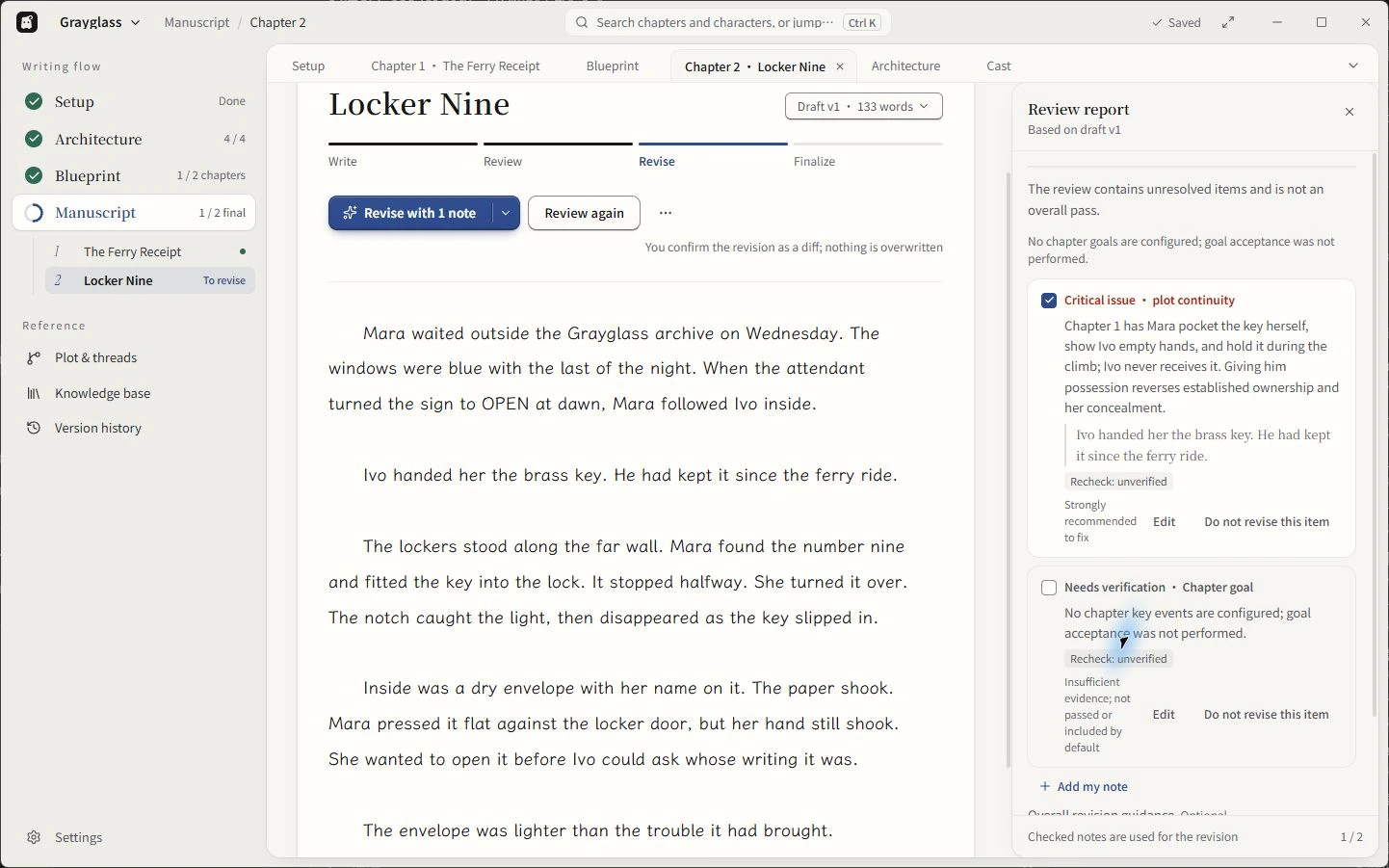
4. Choose which edits to apply
Keep the key continuity note checked. Leave the goal verification item unchecked. For this test we used Add my note to record an optional style edit about the repeated word “shook,” then unchecked that note to leave it out of this pass. Select Revise with 1 note.
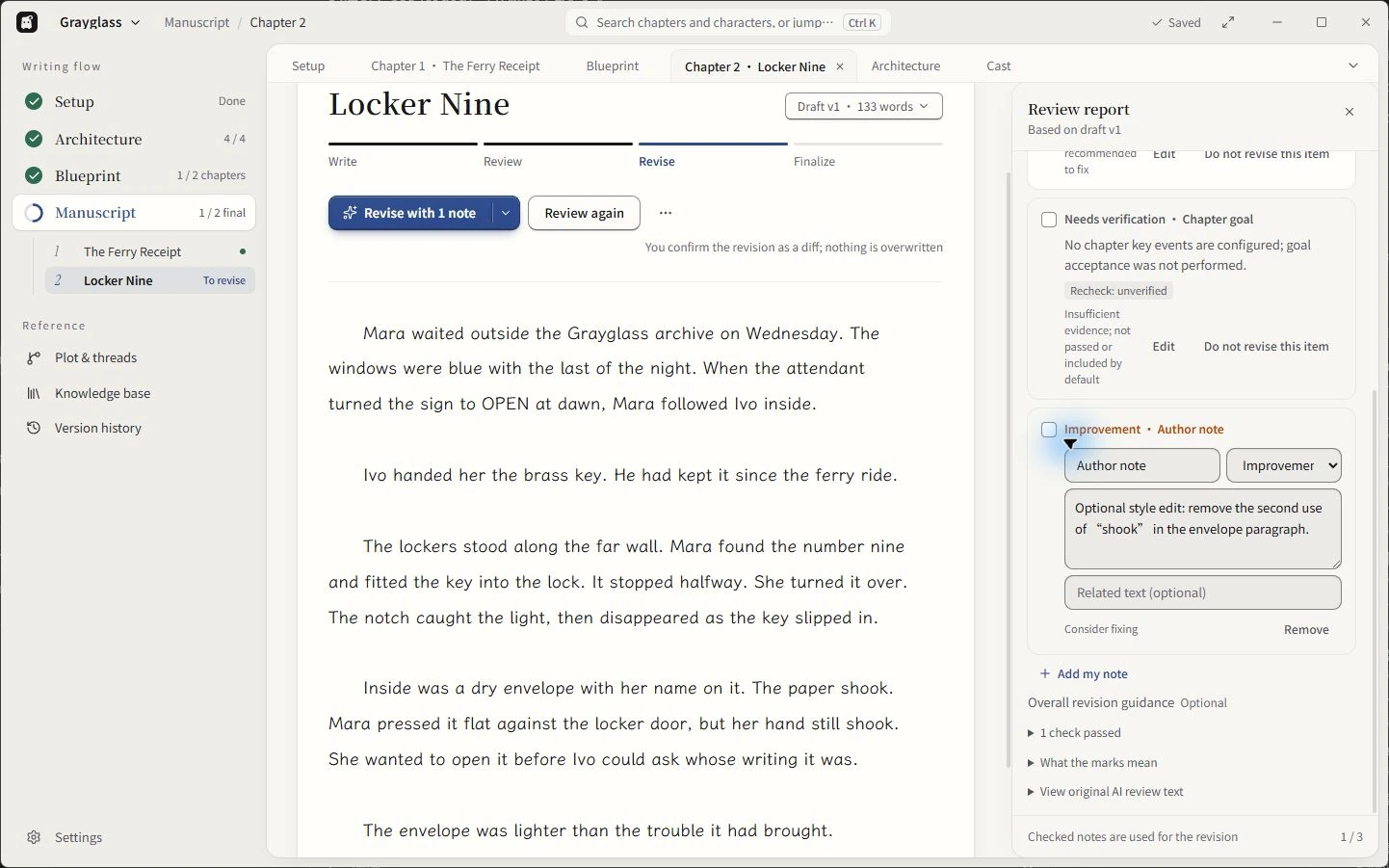
Compare each paragraph before accepting it. Even with one note selected, the model proposed four changes. Use the controls on each paragraph to decide:
- Revision: Keep the added paragraph in which Mara takes the brass key from her coat pocket.
- Edit: The proposed replacement said Ivo let Mara go first, but the preceding paragraph already had her follow him inside. We replaced that suggestion with “Ivo went ahead toward the records desk.”
- Original: Leave two added paragraphs out. The extra movements by the window and locker were unnecessary to fix the handoff.
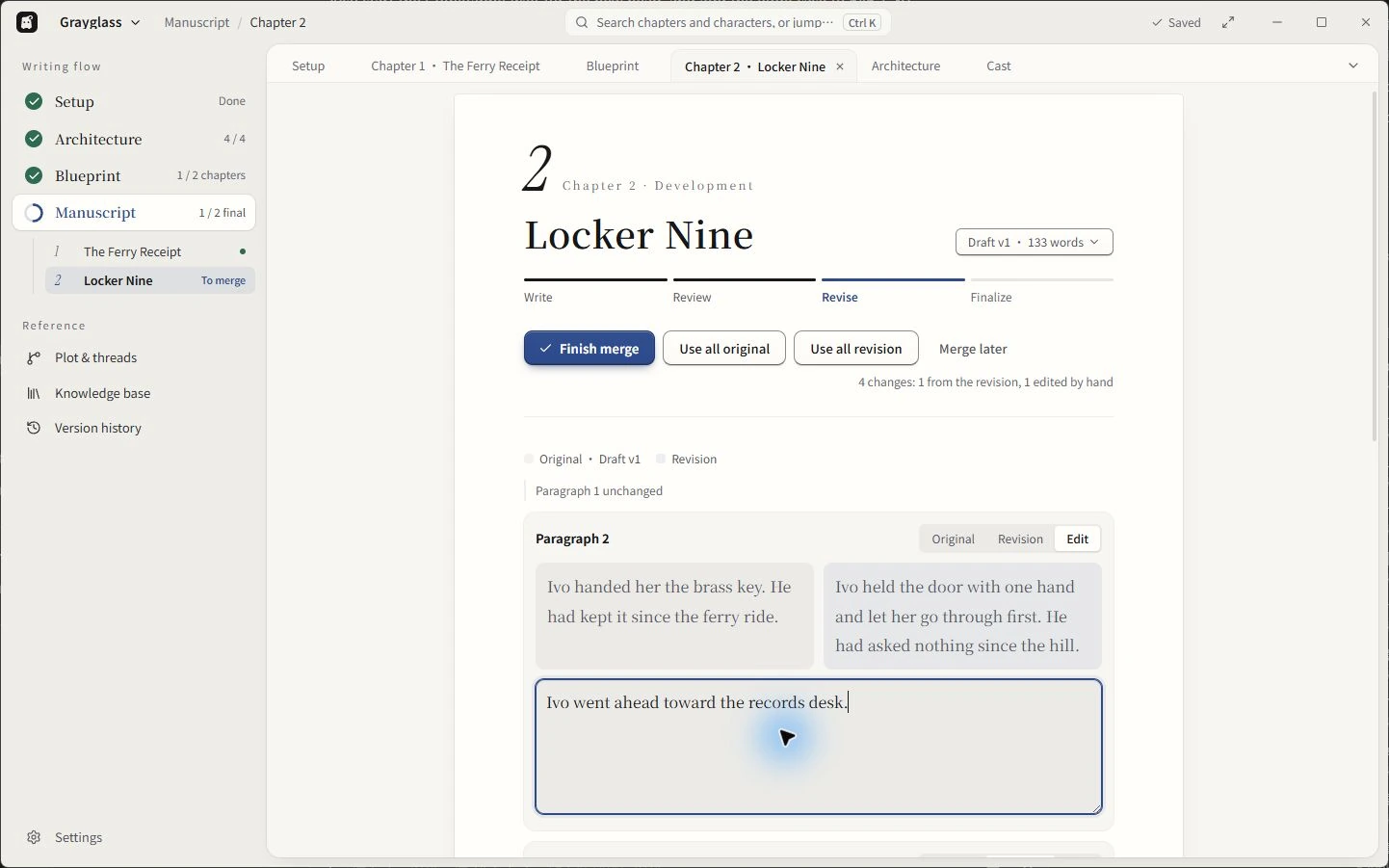
Select Finish merge. In the saved Revised v1, Mara has the key. The repeated “shook” and the last line (“The envelope was lighter than the trouble it had brought.”) are still there. Chapter 1 stays finalized. Chapter 2 is ready to finalize after the author’s last read.
Published by EthanYoQ. Prepared with AI assistance using an isolated sample project and screenshots from the actual app.