
PRODUCT POSITION
Plan the story, draft a chapter, then choose what to change.
Pagekin keeps character notes, worldbuilding, chapter blueprints and prose in one project. Check the chapter plan, generate a draft, then choose review suggestions and compare revisions.
Compatible with both cloud models (DeepSeek, OpenAI, Gemini) and local offline LLMs (Ollama). The active blueprint and relevant story material provide context for generation. Review notes help the author decide what to revise.
The model provides drafts and suggestions. The author decides what to keep. Outlines, blueprints, and review findings help the author check story continuity.
TRACEABLE FLOW
From premise to the context that carries the next chapter.
- Define the premiseKeep direction, conflict, and approved manuscript material together.
- Build characters and world factsStore relationships, rules, and source material inside the project.
- Create outline and chapter blueprintsGive every chapter a deliberate target beyond a temporary prompt.
- Generate or import a draftCall a local or cloud model with chapter-specific context.
- Review, revise, approveEdit and select review notes before accepting a revision.
- Finalize and continueApproved copy becomes continuity context for future chapters.
CORE CAPABILITIES
Tools for planning, drafting and reviewing a chapter.
Autonomously plan overarching narrative arcs and chapter blueprints.
Keep character cards and worldbuilding notes with the project.
Generate review notes, then decide which suggestions to use.
Configure DeepSeek, OpenAI, Gemini or local Ollama.
Import manuscripts for style extraction and full-text search.
Draft chapters in batches and resume work. Authors review and confirm final text.
ENGLISH FIRST-USE GUIDE
Start your first book in Pagekin: English UI and writing language
I maintain Pagekin. This guide was prepared with AI assistance and uses real screenshots from an isolated Windows 1.3.2 session.
Pagekin, formerly AI Novel Writer, lets you start a book before connecting a model. The independent fictional sample below is The Last Lantern.
Manual first-use setup. No AI writing, review or revision result is demonstrated here.
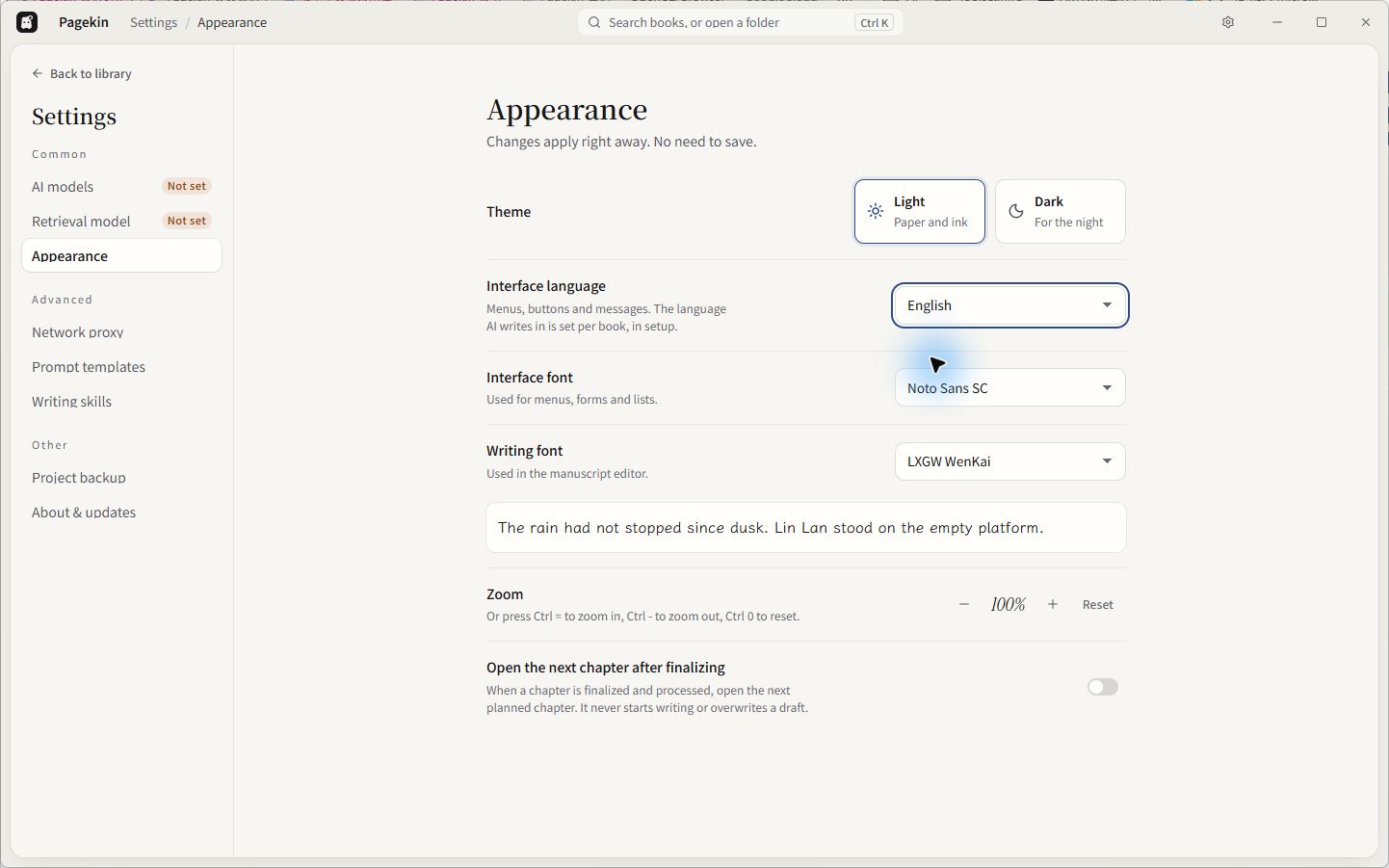
1. Choose the interface language
Open Settings > Appearance and choose English under Interface language. Menus and buttons use this setting. The language of the manuscript is configured separately for each book.
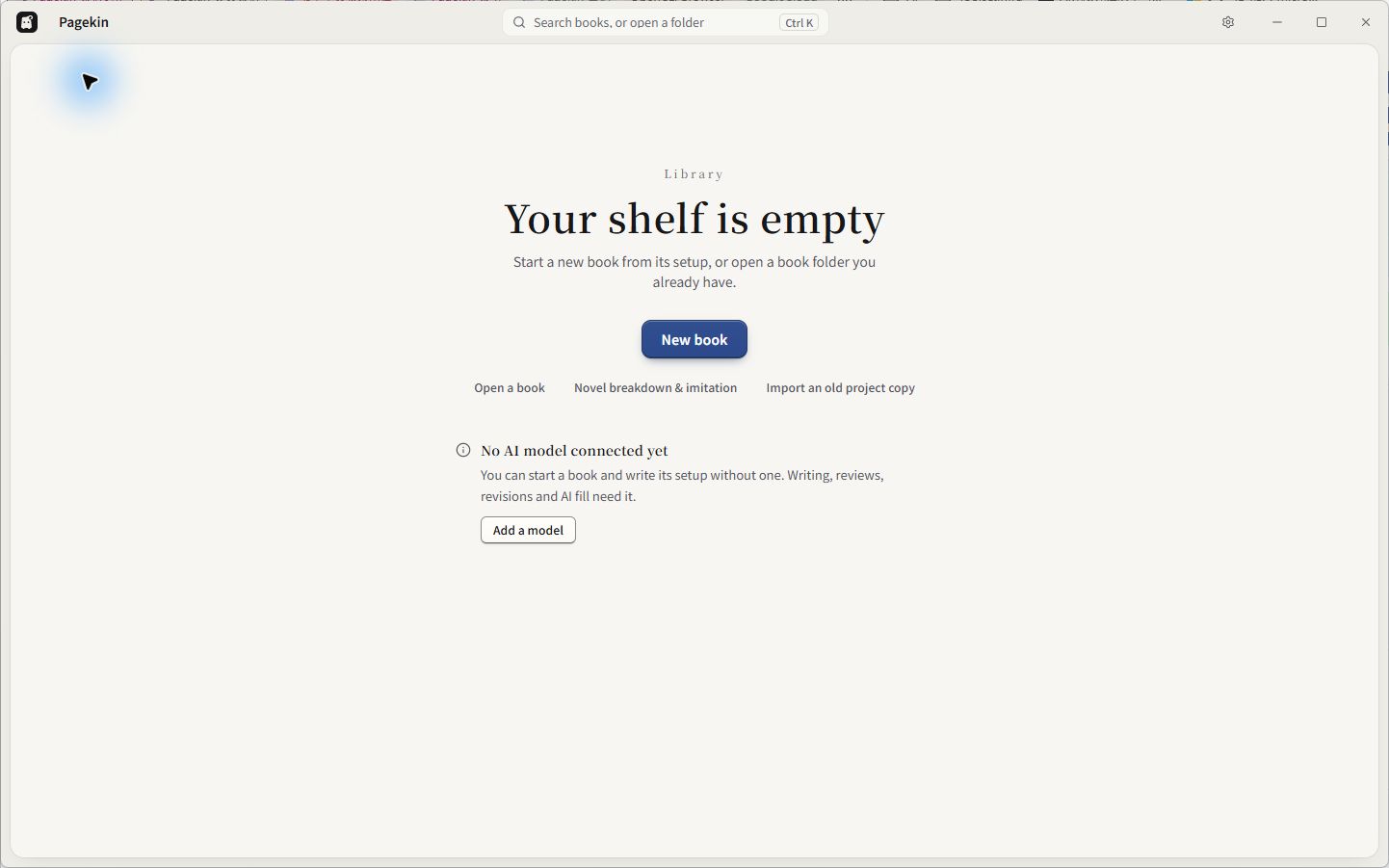
2. Create a book in a folder you control
From the empty library, select New book, enter a title and choose a folder. This session created The Last Lantern in a dedicated sample directory. The native folder picker is omitted from these images.
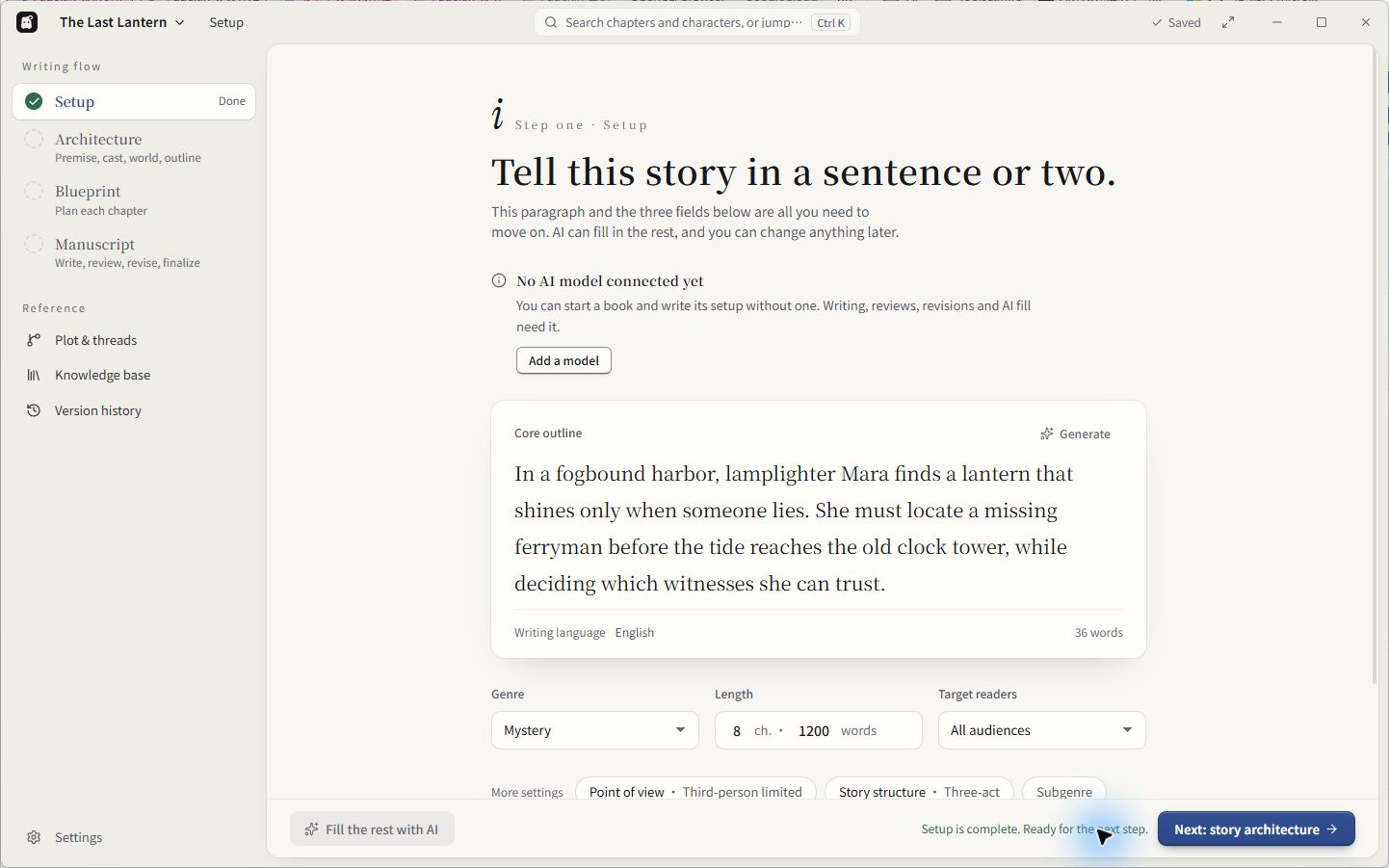
3. Set the story and its writing language
Enter a short premise, then check Writing language. This sample uses English, Mystery and All audiences, with a plan of 8 chapters and a target of 1200 words per chapter. These are planning settings, not generated results. Confirm that the app shows Saved and Setup Done.
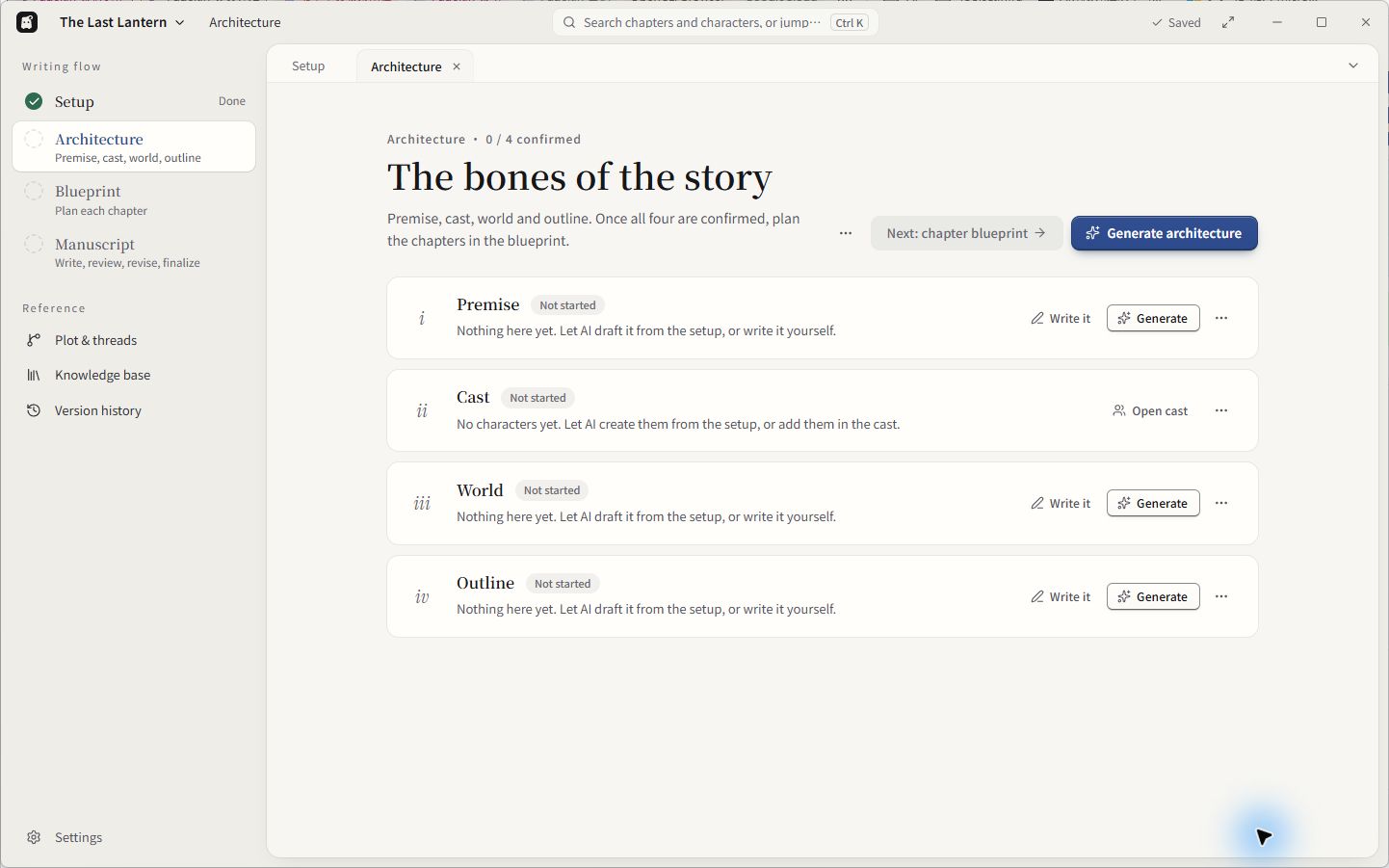
4. Continue to story architecture
Select Next: story architecture. This opens Premise, Cast, World and Outline. They are still Not started in this session, with 0 of 4 confirmed. The Next: chapter blueprint button is disabled until all four sections are confirmed.
The setup was entered manually. AI writing, reviews, revisions and AI fill need a configured model. These four captures show manual setup before generation. The software is open source and free; cloud model providers can charge and receive submitted prompts and story context. Local book storage does not mean cloud generation stays on the computer.
Screenshots show Windows version 1.3.2. They demonstrate manual first-use setup, not AI-generated writing or a macOS test.
MODELS AND DATA
You configure the model; project data stays local by default.
| Item | Location or destination |
|---|---|
| Projects, characters, blueprints, drafts, finals | Project directory and local SQLite database |
| Reference material | Local project storage; relevant context is sent when a cloud model is selected |
| Protocols | OpenAI-compatible and native Gemini |
| API keys | Stored in the local user model configuration |
OpenAI, DeepSeek, Gemini, Ollama, and compatible endpoints can be configured. A custom URL does not imply support for every native API protocol.
INSTALL
Windows and both Mac architectures ship through one release.
Download the NSIS installer. It is currently unsigned, so verify the official GitHub Release before continuing.
Choose the arm64 or x64 DMG. Current packages are not Developer ID signed or notarized.
ai-novel-writer-setup-<version>.exe
ai-novel-writer-mac-arm64-<version>-installer.dmg
ai-novel-writer-mac-x64-<version>-installer.dmg
CURRENT BOUNDARIES
It manages the process; it does not replace the author.
- Not every third-party API works by changing only a URL and key.
- Creative decisions, fact checking, copyright judgment, and final review remain with the author.
- It does not provide publishing, a reader community, or hosted model accounts.
- The separately published DeepSeek Harness developer preview is frozen and does not replace the desktop app. See its own README for limitations.
FREQUENTLY ASKED QUESTIONS
Frequently asked questions
How is Pagekin different from writing with a standard AI chat? What is its core focus?
Pagekin stores characters, worldbuilding, chapter plans, drafts and revisions in one project. Generate a chapter, choose review notes and compare changes before accepting them. Models can still produce inconsistencies, so the author reviews the result.
Is it limited to local models? Which cloud and local models are supported?
Configure an OpenAI-compatible service, native Google Gemini, or local Ollama. No model or quota is bundled. Cloud providers can charge for usage and receive the prompts and context you send.
Can I import existing manuscripts to continue writing?
Yes. Import your manuscript to continue working, or select a passage to continue, expand or rewrite it. Check the current README for supported formats and review all generated text.
OPEN SOURCE
Download the app or inspect exactly how it works.
Checked against the public v1.3.2 README on October 25, 2026. The English guide shows manual setup in Windows 1.3.2. It demonstrates no generated writing, review or revision and is not a full release qualification or a macOS test. GitHub provides the full installation guide and release notes.
If Pagekin helps your writing, you can star the repository to support its maintenance. Downloads do not require a star.